PSAT Reading and Writing practice answer sheet
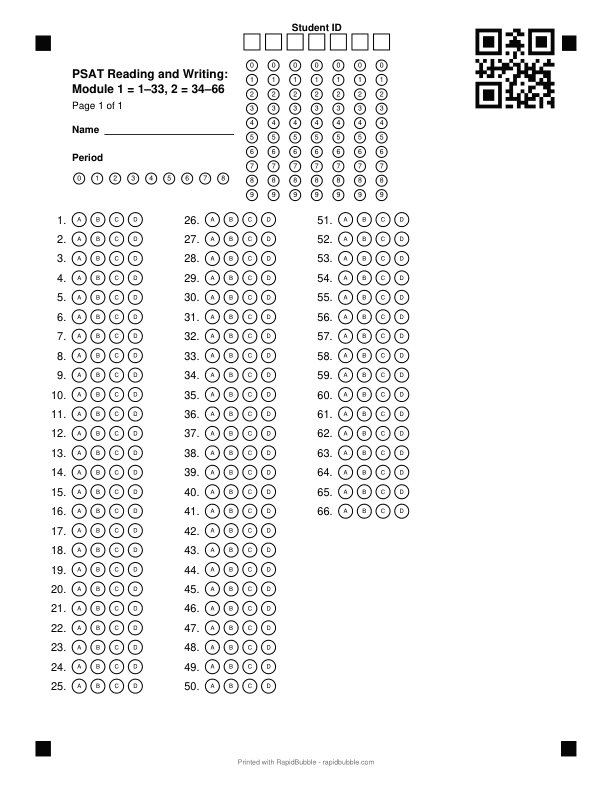
A free 66-question answer sheet, A to D, for Reading and Writing in College Board's paper PSAT practice tests: Module 1 is 1–33, Module 2 is 34–66.
- Questions
- 66
- Answer choices
- A–D
- Pages
- 1
- Layout
- Questions 1–66 in three columns (1–25, 26–50 and 51–66).
- Paper
- US Letter, plain, any printer or copier
- Student ID
- Up to 7 digits (shorter IDs are fine)
- Grading
- Copier scan to PDF or webcam, with a free account
Need a different number of questions?
The bubble sheet generator prints any size from 1 to 300 questions with 2 to 6 choices, and can put your test's title on the sheet.
More like this
The format it's made for
College Board's three paper PSAT/NMSQT practice tests (Practice Test 3 is also the PSAT 10's) are versions of the digital test for students who take it in a nondigital format. Each has two Reading and Writing modules of 33 questions, every one multiple choice with four answer choices, and students circle their answers in the test book: there is no answer sheet. This sheet numbers Module 1 as questions 1 to 33 and Module 2 as 34 to 66, so a class's answers can be graded from one copier scan. The modules are as long as those in the paper SAT practice tests, so the SAT Reading and Writing sheet has the same rows; this one prints PSAT at the top. There's no Math sheet: some Math questions ask students to write their own answer, which a bubble sheet can't hold.
Read on 2026-11-23 from: Paper SAT and PSAT practice tests (College Board); PSAT/NMSQT Practice Test 1 (College Board PDF); PSAT/NMSQT and PSAT 10 Practice Test 3 (College Board PDF).
PSAT/NMSQT® is a registered trademark of the College Board and National Merit Scholarship Corporation, and PSAT is a trademark owned by the College Board; neither is affiliated with, or endorses, this site.
How to grade it
Students write their name, bubble their period and student ID, and fill one bubble per question in pencil or pen. When the test is over, create a free RapidBubble account, enter the answer key for 66 questions, and scan the stack on a copier that scans to PDF, or hold each sheet up to a webcam. Each student's score, the class's score distribution and an answer-choice chart for every question appear in seconds, and any sheet with faint or double marks is flagged for a quick look.
The sheet's QR code says it belongs to no particular test, so it can be used for any test you create. Sheets printed from inside RapidBubble carry the test's own code instead, which also lets you print shuffled versions.
Ready to try it with your next test?
Individual teacher accounts are free. Upload a test or enter a key, print the bubble sheets, and grade with any copier or a document camera.